An Electronic Programme Guide transforms raw IPTV channel browsing into a proper television experience. Without a working IPTV EPG guide, you are blindly flipping through channels with no idea what is playing.
With one, you get programme names, descriptions, start times, and the ability to plan your viewing in advance. You might also be interested in our guide on IPTV 4K Streaming: How to Watch Ultra HD Content Without Buffering.
You might also be interested in our guide on IPTV Buffering Fix: 12 Proven Solutions That Work Instantly.
This guide covers everything about IPTV EPGs: what they are, how to set them up, how to fix common problems, and which player apps deliver the best EPG experience. Need a subscription first?
See our free trial guide. You might also be interested in our guide on IPTV M3U Playlist: What It Is and How to Use It Properly.
Quick Summary
- An EPG shows programme names, times, descriptions, and channel logos.
- Most EPGs load automatically via Xtream Codes API login.
- TiviMate offers the best EPG experience with a multi-day grid view.
- EPG data updates every 12–24 hours from your provider’s servers.
- Manual EPG URLs can supplement or replace provider EPG data.
- Missing or inaccurate EPG is a sign of a low-quality provider.
Table of Contents
- What Is an EPG?
- How EPG Data Works
- Setting Up Your EPG
- Best Apps for EPG
- Fixing Common EPG Problems
- Advanced EPG Tips
- Frequently Asked Questions
- Conclusion
What Is an EPG?
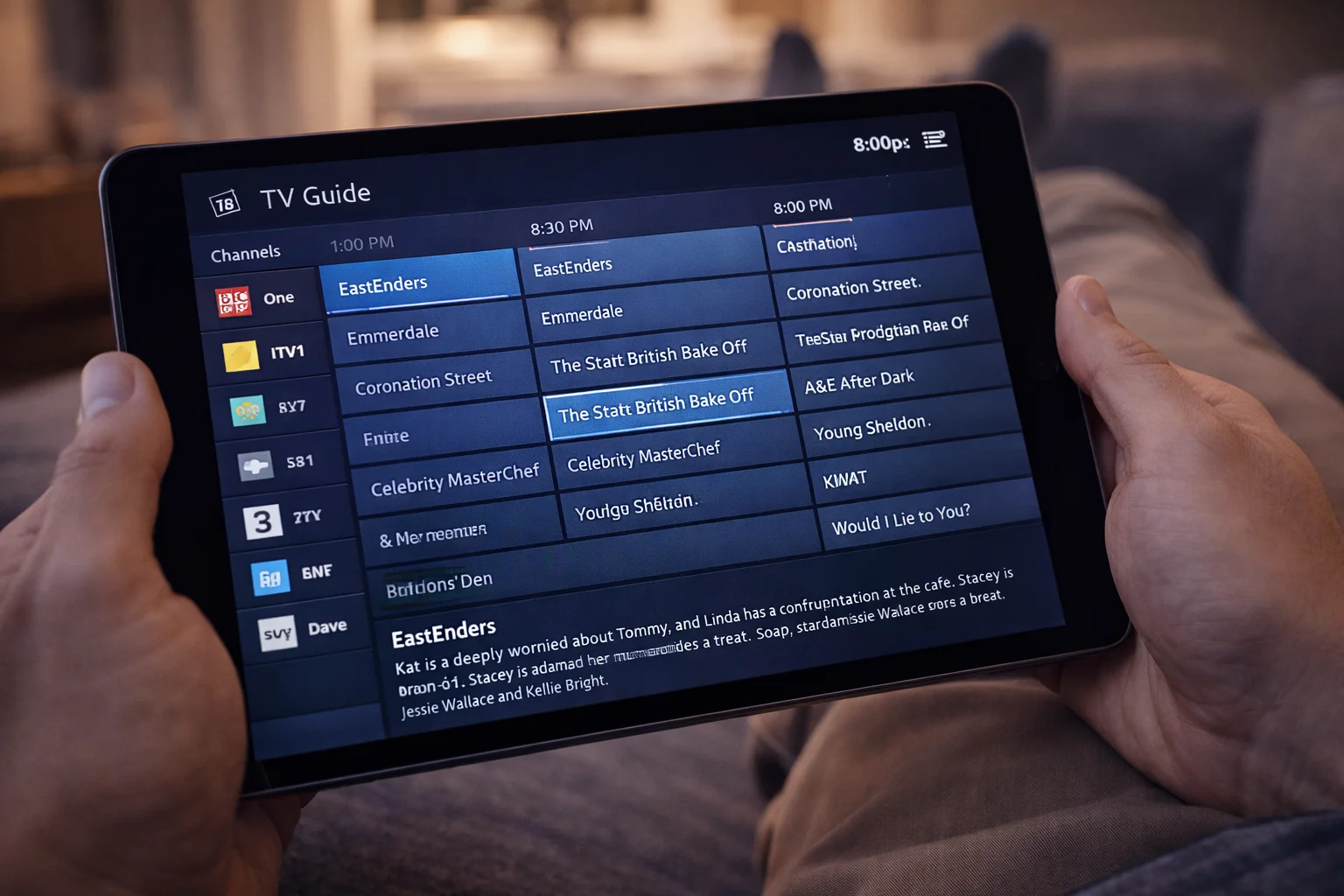
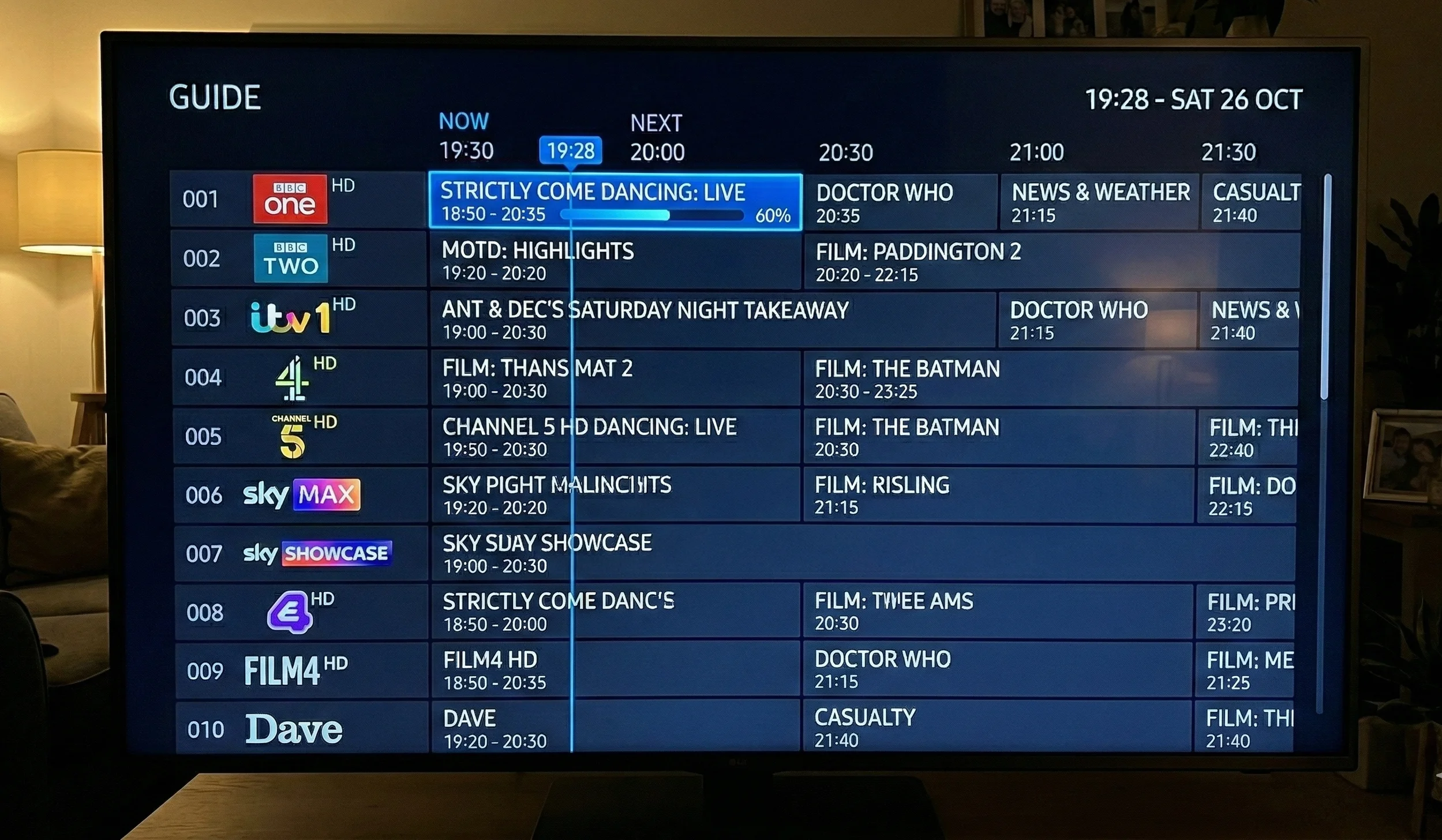
An IPTV EPG guide (Electronic Programme Guide) is the digital equivalent of a printed TV listings magazine. It displays a grid showing:
- Channel name and logo in the left column
- Current programme with title, start time, and end time
- Upcoming programmes extending hours or days into the future
- Programme descriptions with synopsis, genre, and ratings
- Progress bar showing how far through the current programme you are
Without an EPG, browsing IPTV channels means clicking each one individually to see what is playing. When considering iptv epg guide, With a fully configured EPG, you can scan dozens of channels at once and jump directly to what interests you.
How EPG Data Works
EPG data comes from XML-formatted files hosted on your provider’s server.
When considering iptv epg guide, When your player app connects, it downloads this data and maps it to the corresponding channels in your playlist.
Xtream Codes API: If you logged in with username, password, and server URL, EPG data typically loads automatically. The provider manages the EPG source and pushes updates daily.
M3U Playlists: EPG data must be added separately. Your provider should supply an EPG URL (ending in .xml or .xml.gz) alongside your M3U playlist URL.
Update frequency: Quality providers update their EPG data every 12–24 hours.
This ensures programme schedules remain accurate as broadcasters make last-minute changes.
Setting Up Your EPG
Automatic Setup (Xtream Codes)
If you used the Xtream Codes API login method in your player app, the EPG should load automatically. When considering iptv epg guide, Allow 2–5 minutes after initial login for the full EPG data to download. Once loaded, navigate to any channel and you should see the current and upcoming programmes displayed.
Manual Setup (M3U Users)
If your EPG did not load automatically:
In TiviMate:
- Go to Settings > EPG
- Tap “Add EPG Source”
- Enter the EPG XML URL from your provider
- Set update interval to 12 hours
- Tap “Update EPG”
In IPTV Smarters Pro:
- Go to Settings > EPG Settings
- Toggle “Auto Load EPG” to ON
- If still not loading, add the EPG URL manually under “External EPG”
- Tap “Reinstall EPG”
In VLC:
VLC does not natively support EPG for IPTV. Consider switching to a dedicated player app.
Best Apps for EPG
| App | EPG Quality | Grid View | Multi-Day | Catch-Up | Rating |
|---|---|---|---|---|---|
| TiviMate | Excellent | Full grid | 7 days | Yes | ★★★★★ |
| XCIPTV | Very Good | Full grid | 3 days | Yes | ★★★★ |
| IPTV Smarters Pro | Good | Basic grid | 1 day | Limited | ★★★ |
| OTT Navigator | Good | Full grid | 3 days | Yes | ★★★★ |
| Smart IPTV | Basic | Mini grid | 1 day | No | ★★ |
TiviMate is the clear EPG champion. Its grid view displays multiple channels and multiple days simultaneously, programme descriptions are detailed, and catch-up integration lets you click any past programme to watch it on demand.
For app installation guides, see our Smarters Pro guide or general setup guide.
Fixing Common EPG Problems
### No EPG Data Showing
- Wait 5 minutes after initial setup for the full download
- Manually refresh: Settings > EPG > Update/Reinstall EPG
- Verify your provider supports EPG (not all do)
- Try adding a third-party EPG URL as a supplement
### EPG Shows Wrong Times
- Check your device’s timezone setting (should be set to GMT/BST for UK)
- Check the EPG timezone offset in your player app settings
- Some providers serve EPG data in UTC — your app should convert automatically
### EPG Missing for Specific Channels
- The channel ID in your playlist may not match the EPG data
- Contact your provider to report missing EPG channels
- Use a third-party EPG source that covers the missing channels
### EPG Not Updating
- Set automatic update interval to 12 hours
- Manually force an update from Settings
- Clear app cache and reload the EPG
- Restart the app after clearing
### Channel Logos Not Displaying
- Logos are part of the EPG data package
- Force refresh the EPG to re-download logo files
- Check that your app has storage permissions enabled
- Some players allow custom logo packs
Advanced EPG Tips
### EPG Time Shifting
If you work unusual hours, TiviMate lets you set EPG reminders for programmes and browse future schedules up to 7 days in advance. This helps you plan recordings or catch-up viewing.
### Custom EPG Sources
You can replace or supplement your provider’s EPG with third-party sources.
Websites like iptv-org on GitHub maintain free EPG data for thousands of channels worldwide. Add these as secondary EPG sources in your player app.
### EPG Search
TiviMate and OTT Navigator support searching within the EPG. Type a programme name or keyword and the app finds it across all channels and time slots.
This is invaluable for finding specific films, sports events, or series episodes.
### Favourites EPG View
Configure your player to show the EPG only for your favourite channels. This removes clutter and lets you quickly see what is on across the channels you actually watch.
Frequently Asked Questions: Iptv epg guide
### What is an EPG in IPTV?
An EPG (Electronic Programme Guide) is a digital TV schedule that shows programme names, times, descriptions, and channel logos. It lets you browse what is currently playing and what is coming up across all your channels.
### Why is my IPTV EPG not working?
The most common causes are: EPG data not yet downloaded (wait 5 minutes), incorrect timezone settings, provider not supporting EPG, or outdated app version. Try refreshing the EPG and checking timezone settings first.
### Which IPTV app has the best EPG?
TiviMate offers the best EPG experience with a full multi-day grid view, programme descriptions, search functionality, and catch-up integration.
It is available on Android and Firestick devices.
### Do all IPTV providers include an EPG?
Most quality providers include EPG data as standard. Budget or low-quality providers may not maintain EPG data, which results in blank programme information. A missing EPG is a red flag for overall service quality.
For more information on internet streaming technology, visit the Ofcom Connected Nations Report.
Conclusion: EPG Makes IPTV Feel Like Real TV: Iptv epg guide
A properly configured IPTV EPG guide transforms channel surfing from guesswork into a premium television experience. Invest 5 minutes in setting it up correctly and you will browse programmes as easily as any Sky Q or Virgin box.
Use TiviMate for the best EPG experience, ensure your provider supplies regular EPG updates, and verify timezone settings for accurate UK scheduling. With a working EPG, your IPTV setup truly rivals traditional television.